Parametric CAD for iPad

Real parametric CAD. On the iPad.

A true B-rep kernel with a parametric build history and STEP, STL, DXF export — the geometry serious parts demand. No toy meshes.

Coming to the App Store·Requires iPadOS 18+
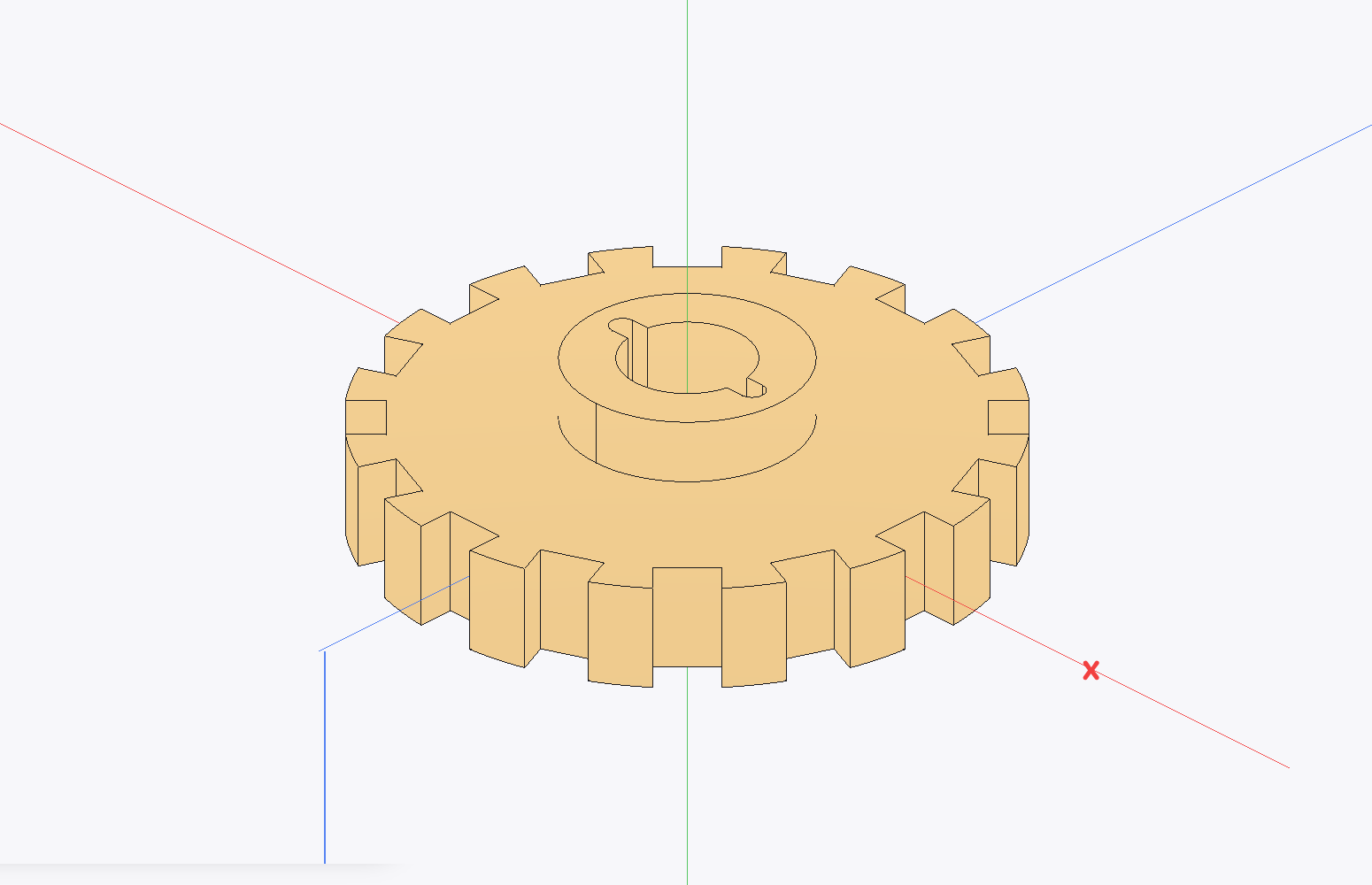
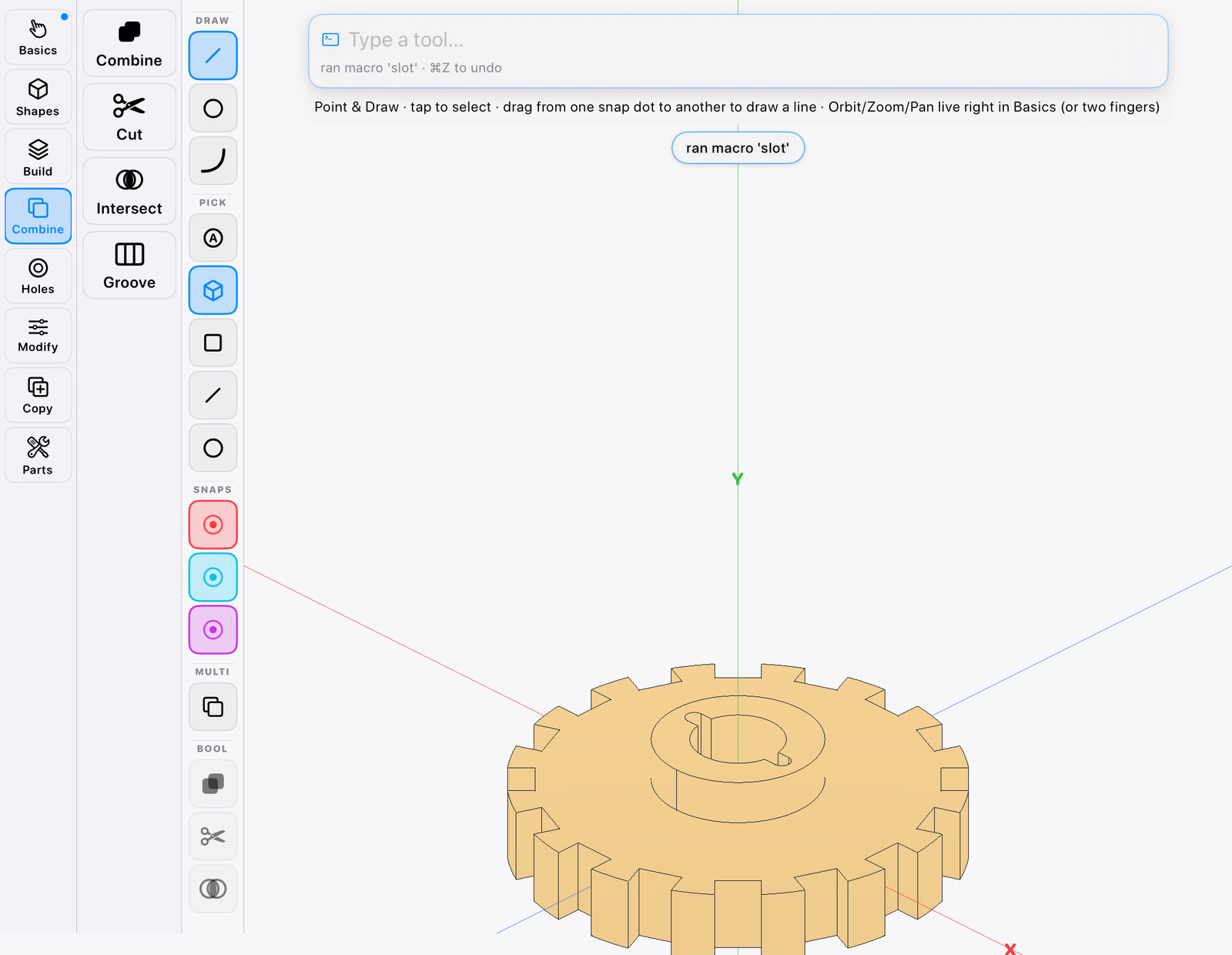
A gear with a boolean-cut keyway, modeled in Cogwright
Exports
STEP · STL · DXF
Units
IN · MM
History
Fully live
Sign-in
None
The geometry engine

Exact to the last edge.

Circles stay circles and surfaces stay smooth — no triangle soup. Booleans come out watertight, blends land clean, and the precision survives all the way through export.

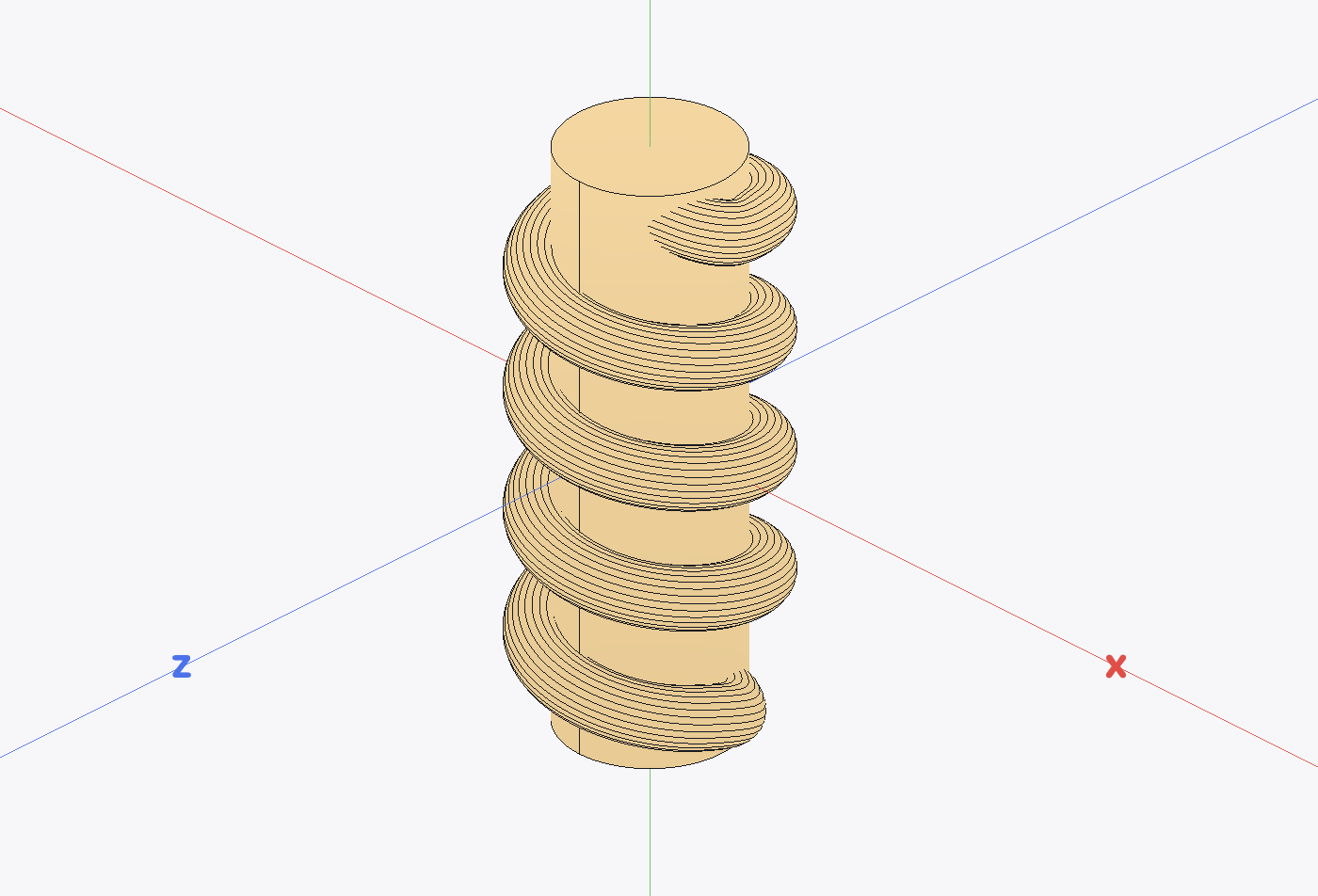
A worm screw modeled as one continuous helical sweep
STEP round-trip
Checked in-app
Volume & area
To the number
Solids
Manifold throughout
The toolset

Booleans to blends. The full kit.

Extrude, revolve, sweep, loft. Shell, fillet, chamfer, draft. Mirror, patterns, booleans, a full hole family — the operations real parts are made of.

And everything works two ways: every tool is a tile you can tap and a command you can type, and both run the same operation. Use whichever fits your hands, or mix.

The Cogwright working UI — tool palette, typed command bar, and a gear on the canvas
Build
Extrude · Revolve · Sweep · Loft
Modify
Shell · Fillet · Chamfer · Draft
Multiply
Mirror · Patterns · Booleans
Sketch on the part

Sketch by hand. Snap to the grid.

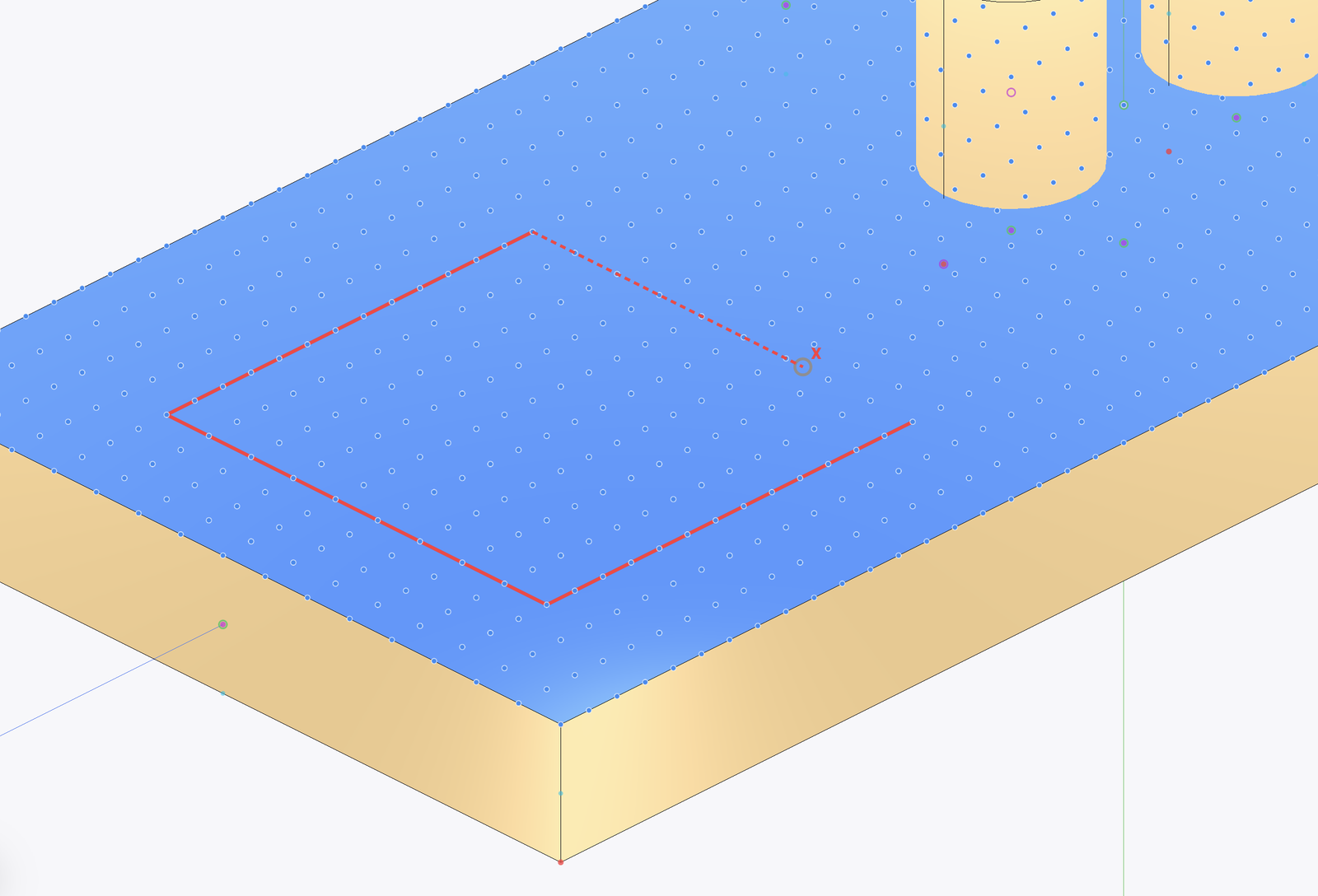
Pick a face and a live snap grid covers it — drag dot to dot and lines come out straight and to size. Close the loop and the face splits, ready to pull up or cut through.

A rectangle sketched on a live snap grid covering the face of a plate
Draw
Lines · Arcs · Circles
The grid
Moves face to face
Closed loops
Ready to pull or cut
Guided builds

Watch it built. Then build it.

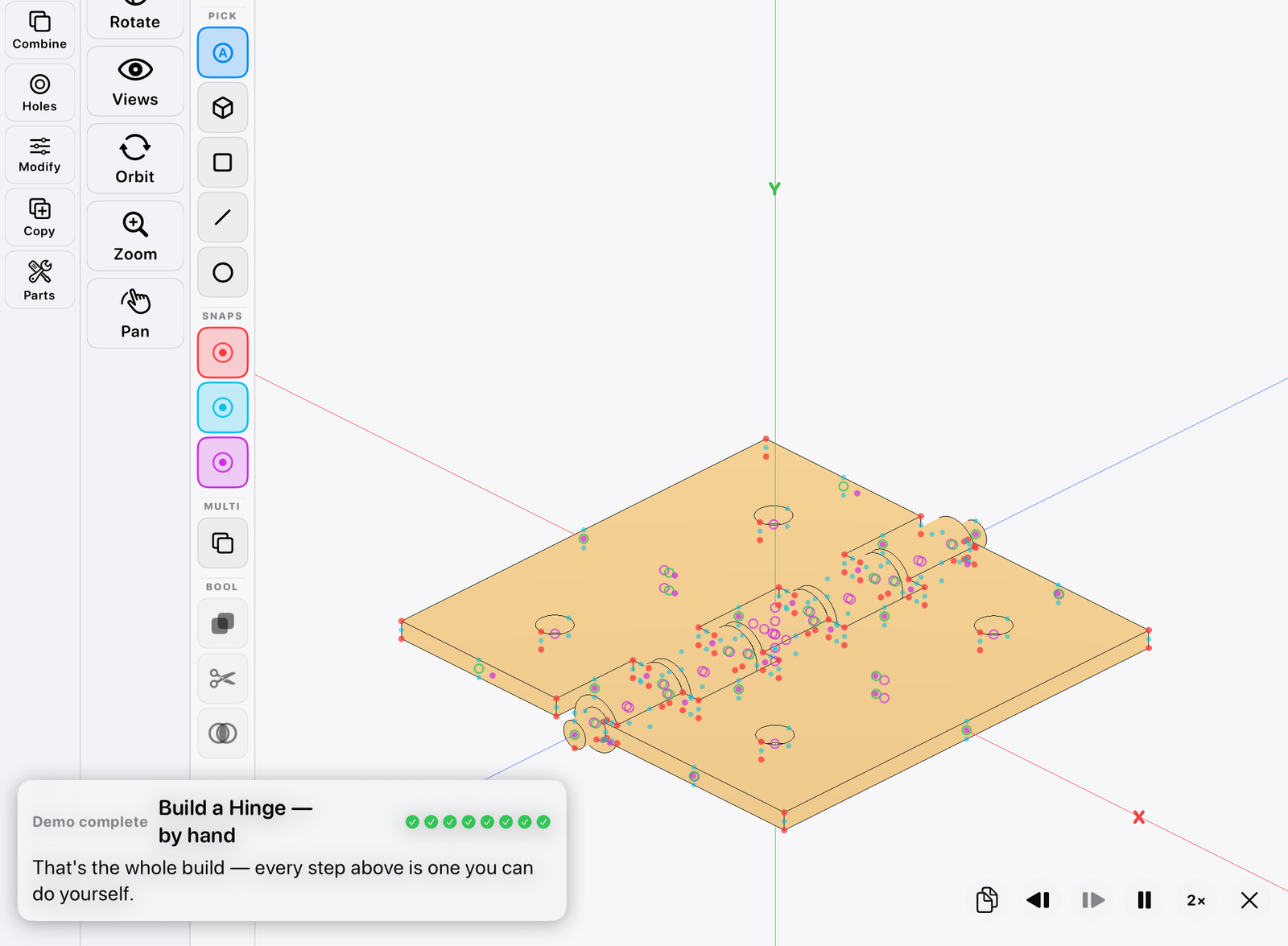
Forty-two guided builds — twenty-one real parts, each taught by hand and again by typed command — narrate every move in the live tools. Pause, step backward or forward, take over.

The hinge demo finishing its build, with the narration card and transport controls
Builds
21 parts × 2 ways
Parts
Gear · Worm · Hinge · Holes …
Every demo ends as
A file you keep editing
Export

STEP, STL, DXF. Dimensions intact.

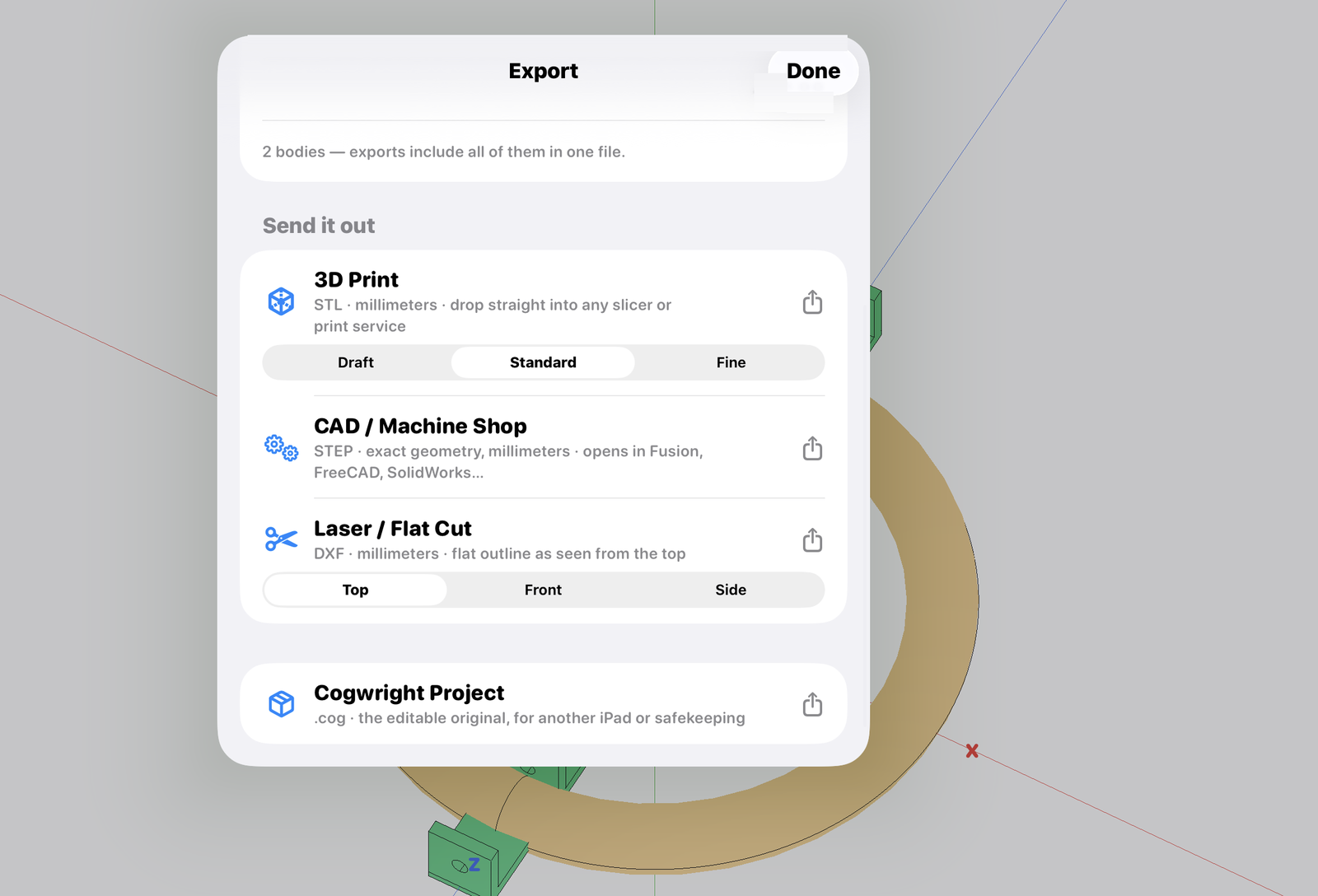
Solids out to STEP for any CAD package, watertight STL for the printer, DXF profiles for the laser and the plasma table. What you dimension is what arrives.

STEP comes in too — from Files, mail, or drag-and-drop. Weight and rough material cost before you print.

The export sheet — 3D print, CAD/machine shop, laser/flat cut, and project file
STEP
Full B-rep solids
STL
Print-ready mesh
DXF
Profiles for cut paths

The part remembers how it was made.

The Steps panel lists every operation with its numbers; change a hole diameter from an hour ago and the whole model rebuilds. If a value can't work, Cogwright tells you which step refused and puts everything back. You never end up with a half-built part.

Units that mean what you meant.

Inches or millimeters, per document. Type 12, 12.5mm, 0.5in, or 1/2 — they all mean what you meant. Apple Pencil and hardware keyboards are first-class citizens.

Yours, on your iPad.

Cogwright runs entirely on your iPad. No account, no network requirement, no analytics. Diagnostics stay on the device unless you choose to share a report. Read the privacy policy — it's short.

The deal

Own your tools.

Buy it once and own it outright, or take a small plan — your call. One paid tier with every tool in it. No seat license, no sign-in, and your files live on your iPad.

Free — learn the whole app
$0 forever
  • Every lesson and all forty-two demos
  • Open any part, orbit it, step through its history
  • Export anything — STEP, STL, DXF, project file
The full version — build your own
$4.99/mo  ·  $34.99/yr  ·  $79.99 once
  • Create and edit your own parts
  • Every modeling tool — no pro gate
  • Buy it once and it's yours permanently; old versions never stop working

Purchases are handled by Apple. No account with us, ever.

Files are never held hostage — opening, viewing, and exporting your work never need a purchase.

The roadmap

Any part today. Assemblies next.

Version 1.0 builds any single part, start to ship. Coming next: assemblies with real mates and 2-D drawings — sequenced by the people already building with it.

Any single part — sketch to STEPShipping now
Assemblies & matesPlanned
2-D drawingsPlanned
COGWRIGHT
For people who build